Export all 3
One click makes 16:9 for YouTube, 1:1 for the feed and 9:16 for Shorts, Reels and TikTok.

 ™
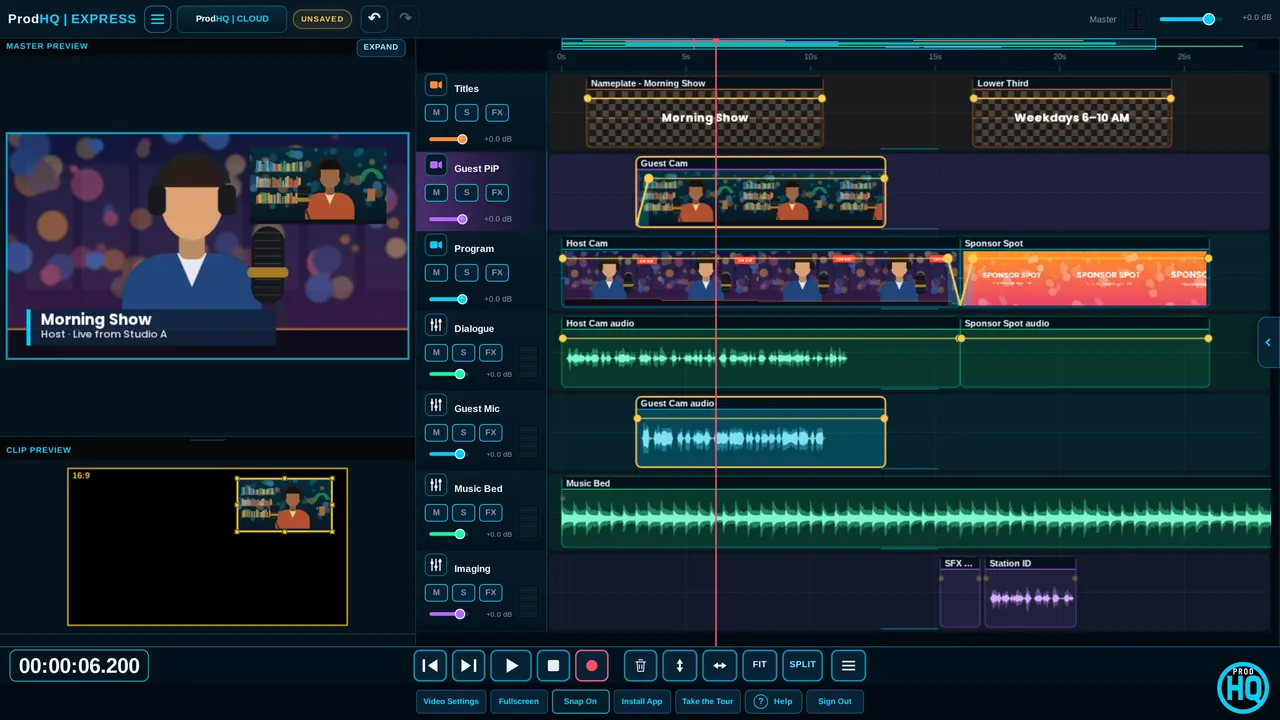
™Edit video next to your voice, music and imaging lanes. Add captions, make vertical versions that follow the talker, and let ProdHQ cut to whoever's speaking. In Studio or right in your browser.
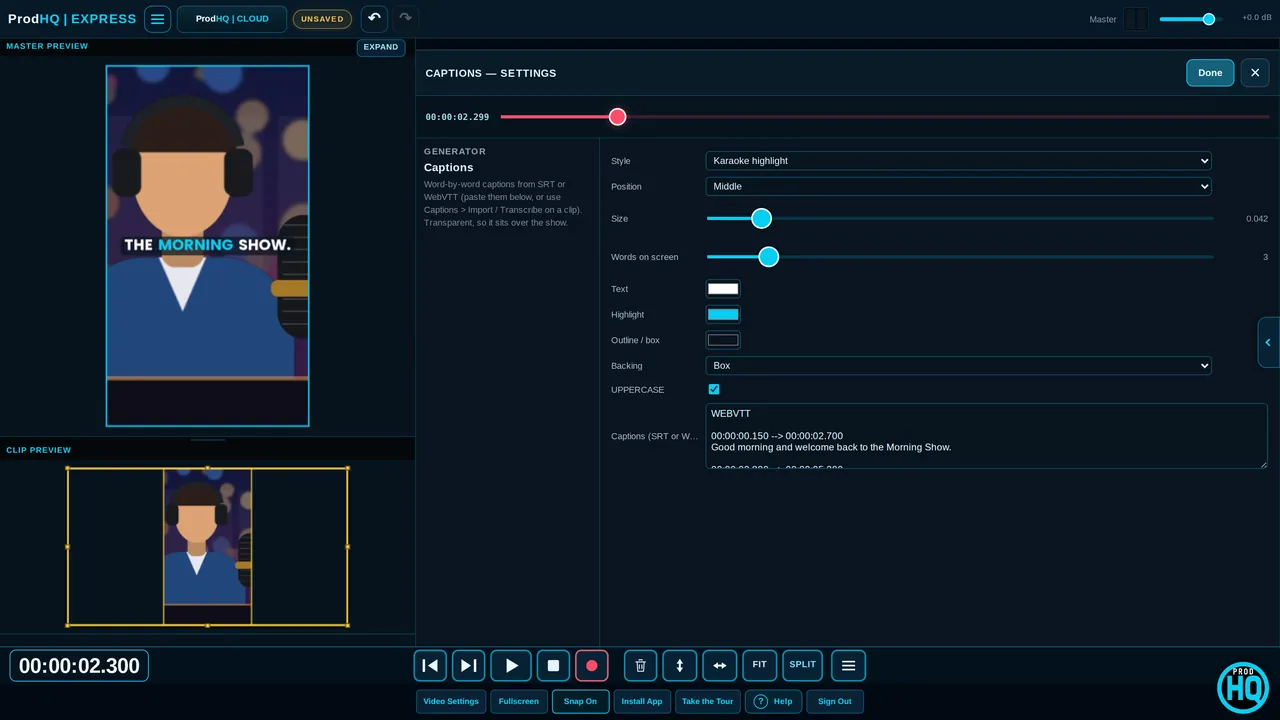 Captions
Transcribe a clip and get animated captions that highlight each word as it's spoken. Karaoke, word by word, one word at a time, or classic subtitles.
One click makes 16:9 for YouTube, 1:1 for the feed and 9:16 for Shorts, Reels and TikTok.
Turn a widescreen talking head into vertical or square video that keeps the talker in frame, with smooth moves.
The square and vertical versions can follow the faces in each camera, so nobody gets cropped out.
Select your camera clips. ProdHQ listens to each person's mic and cuts to whoever is talking, with a wide shot for crosstalk.
One wide shot of two people becomes two close-up "cameras", cut by who's talking.
Two people in one wide shot become a vertical video: one on top, one on the bottom, each followed by face.
Automatic zoom-ins on the big moments.
Make every camera look the same with one click.
Turn an audio clip into an animated waveform video for promoting a show or spot.
One click puts title and artist on every song, read from SCOT cart data or file tags.
Plus a plain cut. On a picture-in-picture clip, the transition stays inside that clip's box.
Place, crop and shape clips, add track mattes and text windows.
25% to 400%, slow-mo middles, speed-up outs, and 1–5 second freezes.
VHS, light leaks, film burns and 12 built-in film looks.
Blur or pixelate faces and logos, smooth skin, or blur the background without a green screen.
The full VIDEO workspace with MASTER and CLIP monitors, Motion Editor, and H.264 MP4 or MOV export (or GIF).
Windows 10 or 11, 64-bitVideo sessions in the browser with the same captions, transitions and face tools, exporting WebM or MP4 when your browser supports it.
Chrome or Edge on desktop; phones and tablets in landscapeOnly once. The first time, ProdHQ downloads a free speech model (Studio: about 150 MB or 490 MB; Express: about 80 MB). After that, transcription works offline and your audio never leaves your computer.
Yes. Auto-Reframe turns a widescreen clip into 9:16 or 1:1 that follows the talker, and Export all 3 makes the widescreen, square and vertical versions in one go.
Yes. Auto Multicam listens to each person's mic and cuts to whoever is talking. The edit is made of normal clips, so you can change any shot.
Studio exports H.264 MP4 or MOV with audio, or a silent GIF. Express, Mobile and Tablet export WebM, or MP4 when the browser supports it.
No. Face tools work on recorded clips, where ProdHQ can look at the whole clip to keep framing smooth.
Create an account and start Demo Mode: three 30-minute sessions with every editing tool on. Subscribe when you're ready to export and go live.