Cameras, screens and graphics
Cameras, a screen share, video files, logos, nameplates, tickers and lower thirds, staged on Preview.

 ™
™ProdHQ is one place to cut spots and promos, record guests on their own tracks, edit video clips, and run a live show with cameras, guests and a countdown. On Windows, in your browser, or on your phone.
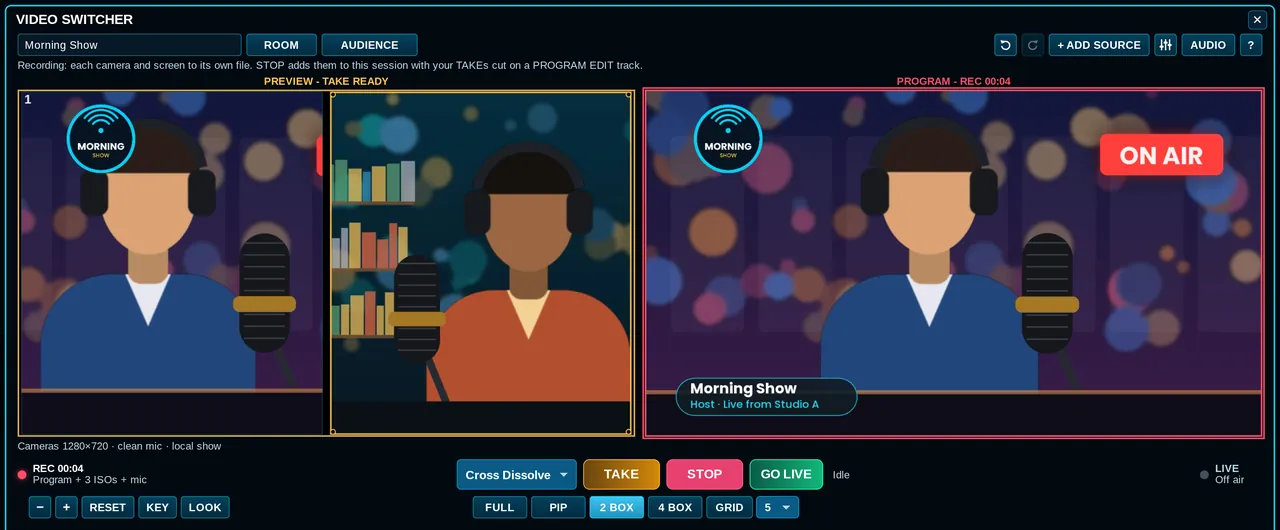
The Video Switcher in Express: two cameras staged on Preview, the host on Program with a logo and nameplate, recording.
Whatever lands on your desk today, it starts in the same app and the same session.
Cameras, guests from a link, logos and nameplates, a countdown, then record or stream.
Live video switcher →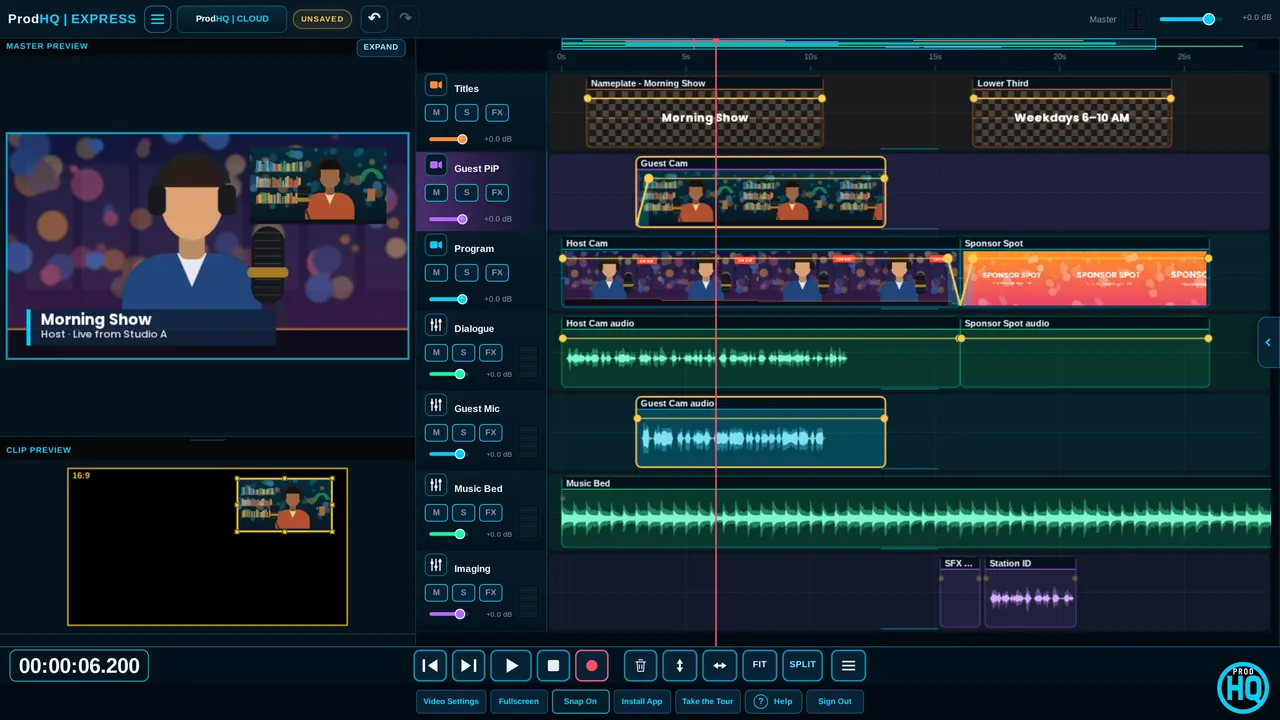
Captions, vertical versions, cutting to whoever's talking, titles and transitions.
Video editing →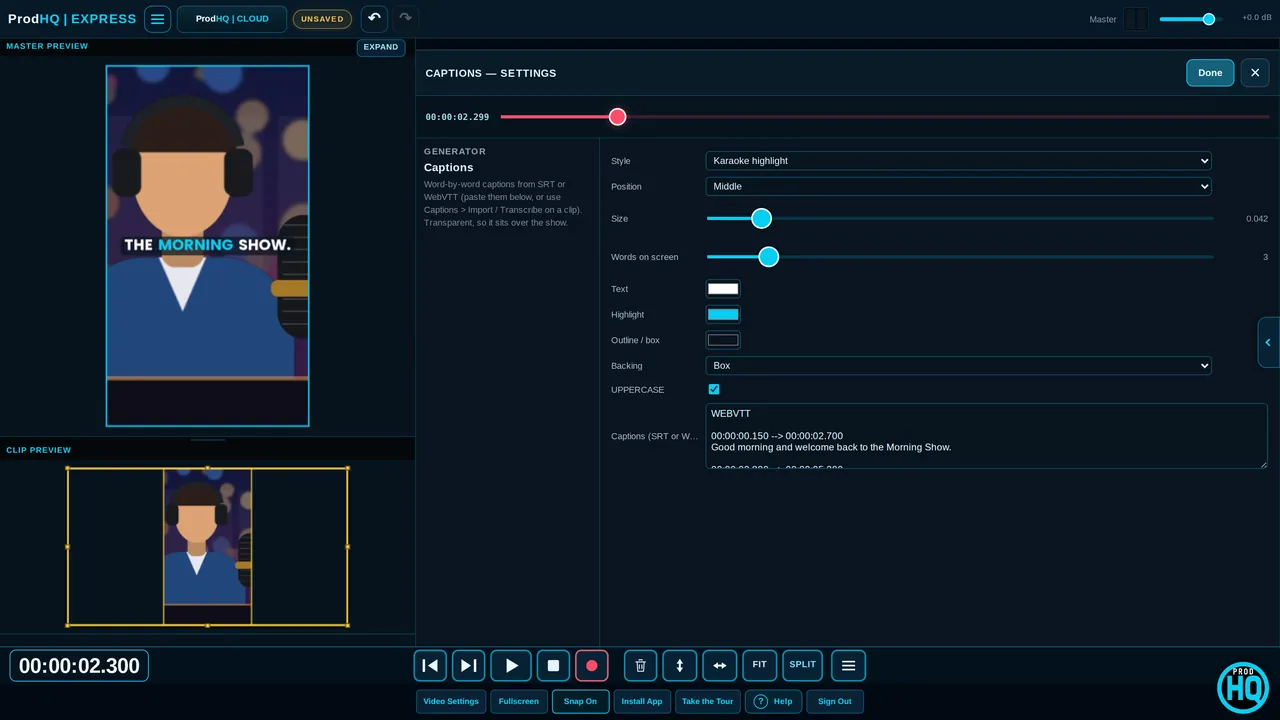
Guests join from a link. Everyone lands on their own track, in full quality.
Podcast recording →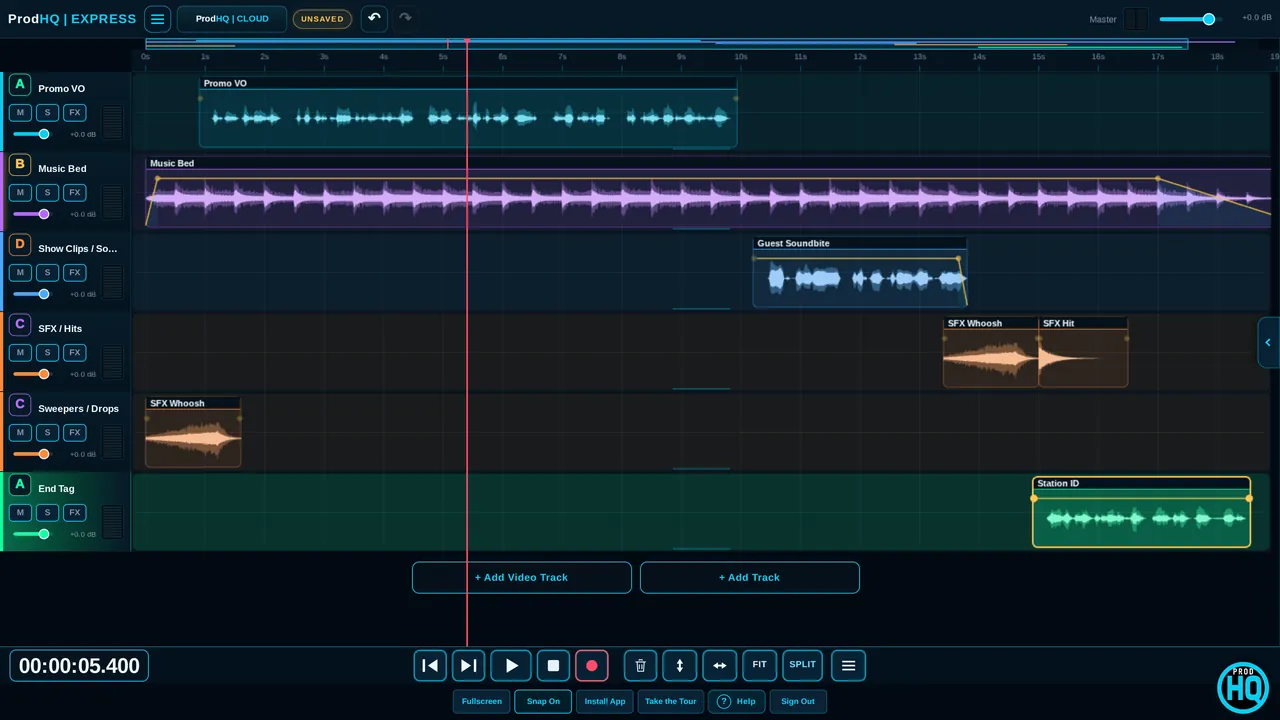
Voice, bed and hits, fit to :30, loud enough for air, and a file automation takes.
Radio production →Stage the next shot on Preview. Press TAKE. Viewers see Program. It works like the control room, in an app.
Cameras, a screen share, video files, logos, nameplates, tickers and lower thirds, staged on Preview.
Guests join on camera from a browser. Viewer links let a producer or client watch.
Record every camera on its own file, or stream to YouTube, Facebook, Twitch or any RTMP address.
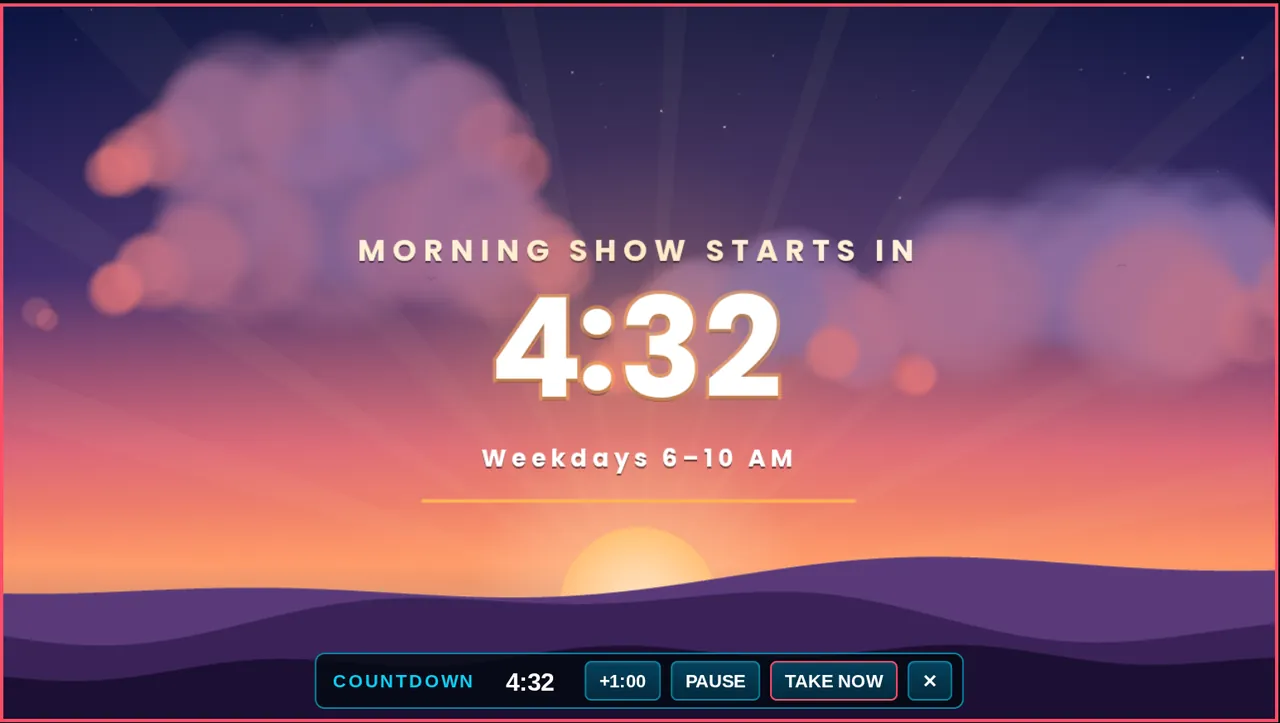
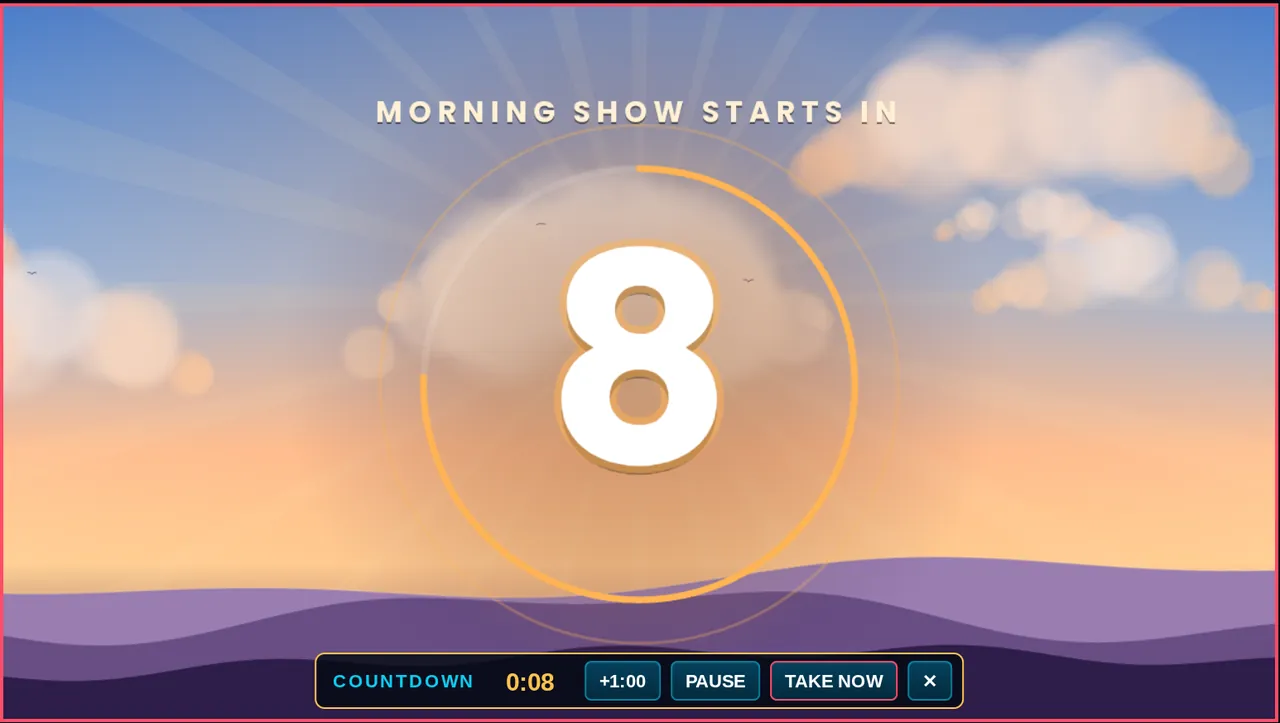 Show countdown
Run a countdown on Program while you set up. The music lands exactly on 0:00, then your opening shot takes itself.
VIDEO workspacePicture-in-picture, titles, nameplates and 55 transitions, with your voice, music and imaging lanes right under the picture.
Send a link. Guests join from a browser. Each person records to their own track, and each guest's own full-quality recording replaces the internet version after you stop.
No app for guests. They pick a mic, run a quick check and ask to join. You admit them.
One WAV per person lands in your session, ready to edit, level and clean up.
Each guest's browser records their own mic at 24-bit, 48 kHz and uploads it in the background.
Push notes to guests' screens in big readable type. Talk to them between takes.
Voice Isolation, noise reduction, de-reverb, de-click and one-knob podcast loudness.
Stacked 9:16 videos, two-speaker splits and punch-in zooms from one wide shot.
PRODUCEStart from a template, fit it to :15, :30 or :60, duck the bed under the voice, and check it before it goes out.
One account and one subscription. Sessions move between them.
No separate video plan and no add-ons. Pricing details →
Everything, for one person: Studio on Windows, Express in the browser, Mobile and Tablet. Audio and video, live and edited.
10 or more seats, with company ProdRooms, central admin and support.
Three 30-minute sessions with a verified email. Edit, mix and build like the full Suite. Export and GO LIVE unlock when you subscribe.
All three. It started as a radio production desk (spots, promos, imaging, files automation can take) and now runs live video shows with guests, remote podcast recording on separate tracks, and video editing for clips. One subscription covers all of it.
Studio is the Windows app with the deepest tools: RADIO recording, EDIT, EXPORT, VST3 plugins and H.264 video export. Express runs in Chrome or Edge with no install, including the live switcher, guest rooms and GO LIVE. Mobile and Tablet open the same sessions on the go. Compare them.
Yes. Send a link. Guests join from their browser on a phone or laptop. You admit them from the lobby, then put them on air (live video) or record them on their own track (audio interviews).
Yes. GO LIVE sends Program to YouTube, Facebook, Twitch or any RTMP address. Express can send to several at once. You can record the show at the same time, or only record.
Yes. Export a WideOrbit WAV (44.1 kHz, 16-bit, stereo) with SCOT cart data, intro and end markers. Plain WAV and MP3 are there when automation isn't the destination.
Three 30-minute sessions with every editing tool on, after you verify your email. Export, GO LIVE and Cloud publishing unlock when you subscribe.
Sign in or create an account at My Account, then open Studio, Express or Mobile from there.